
Compass Lite1.1.0 - Google Play
You'll be able to see results in few seconds.
Publisher Description
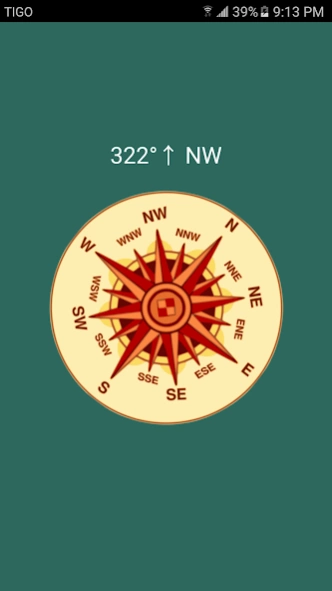
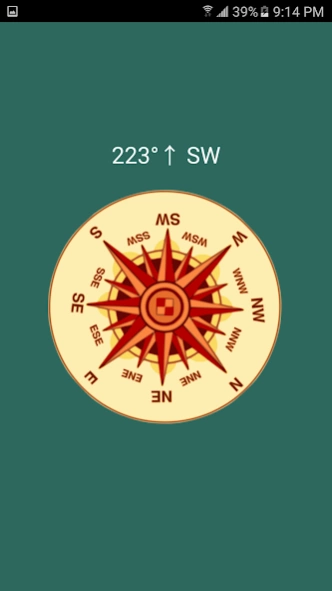
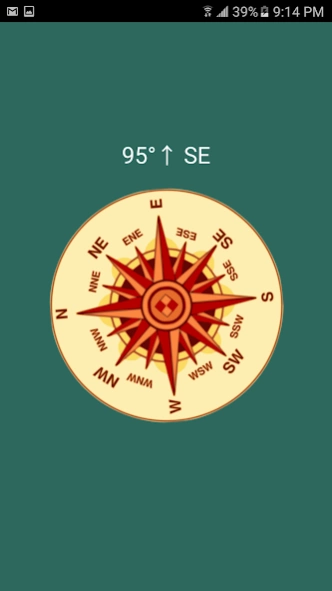
Going into the Wild? GET COMPASS LITE! Easy travel Companion.
Are You going hiking, or do MotoCross in the woods, or even a jorney on a boat? This compass a story of exploration and innovation, and you will certainly need a Map and Compass. Compass Lite is the best app you can look for, its really small and low memory consuming. SO with this Compass Free you are on the way. Remember this Compass points NORTH, this does NOT point west.
This Compass Control app is Design for you and your need of adventure, if you need any feature added, you can just email us.
Prerequisite: Your phone or tablet MUST have an integrated compass sensor to work properly.
Highlights:
- Orienting functions as any Real Compass .
- Suitable for camping, hiking, and outdoor .
- High Definition graphics .
- Rotating bezel
- Rotating orienting arrow
- Light app, less than 5Mb to give you a Compass on demand .
- Wont consume your RAM memory
Where can you use Compass Lite? :
- Hiking a Mountain
- on a Excursion
- travel on a boat. (careful with water)
- walking in the wild
- traveling.
- discovering a new city during Vacations
***Remember this Compass points NORTH, this does NOT point west.
*** For next update, Compass Will be Featuring a Flashlight, becoming your phone instantly into a flashlight..
About Compass Lite
The company that develops Compass Lite is Roca Software Applications. The latest version released by its developer is 1.1.0.
To install Compass Lite on your Android device, just click the green Continue To App button above to start the installation process. The app is listed on our website since 2018-01-23 and was downloaded 0 times. We have already checked if the download link is safe, however for your own protection we recommend that you scan the downloaded app with your antivirus. Your antivirus may detect the Compass Lite as malware as malware if the download link to com.twcsoft.compass is broken.
How to install Compass Lite on your Android device:
- Click on the Continue To App button on our website. This will redirect you to Google Play.
- Once the Compass Lite is shown in the Google Play listing of your Android device, you can start its download and installation. Tap on the Install button located below the search bar and to the right of the app icon.
- A pop-up window with the permissions required by Compass Lite will be shown. Click on Accept to continue the process.
- Compass Lite will be downloaded onto your device, displaying a progress. Once the download completes, the installation will start and you'll get a notification after the installation is finished.
Program Details
System requirements
Download information
Pricing
Version History
version 1.1.0
posted on 2018-01-23
- Major Code Optimization, Especially for Nougat.
- Compass Calibratin Improved.
- Fixed Errors and Crash problems
- Faster App
- Smaller App Size
- Less Ads :)
- If you have any problem PLEASE contact me Directly to roca.software.sv@gmail.com
I really hope you Enjoy the app App as there is a lot of work behind it. Thanks for your support.
Disclaimer
Official Google Play Link
We do not host Compass Lite on our servers. We did not scan it for viruses, adware, spyware or other type of malware. This app is hosted by Google and passed their terms and conditions to be listed there. We recommend caution when installing it.
The Google Play link for Compass Lite is provided to you by apps112.com without any warranties, representations or guarantees of any kind, so access it at your own risk.
If you have questions regarding this particular app contact the publisher directly. For questions about the functionalities of apps112.com contact us.
